Mooni
A small remote-control setup I built for my Linux machine. It uses an Android app and a Go agent connected through Tailscale so I can browse files, check system health, and restart the machine remotely.
Mooni started as a way for me to control my Linux machine when I was not on the same network. I built a small Go agent for the laptop and an Expo/React Native app for Android. They connect through Tailscale, so I do not need to set up port forwarding.
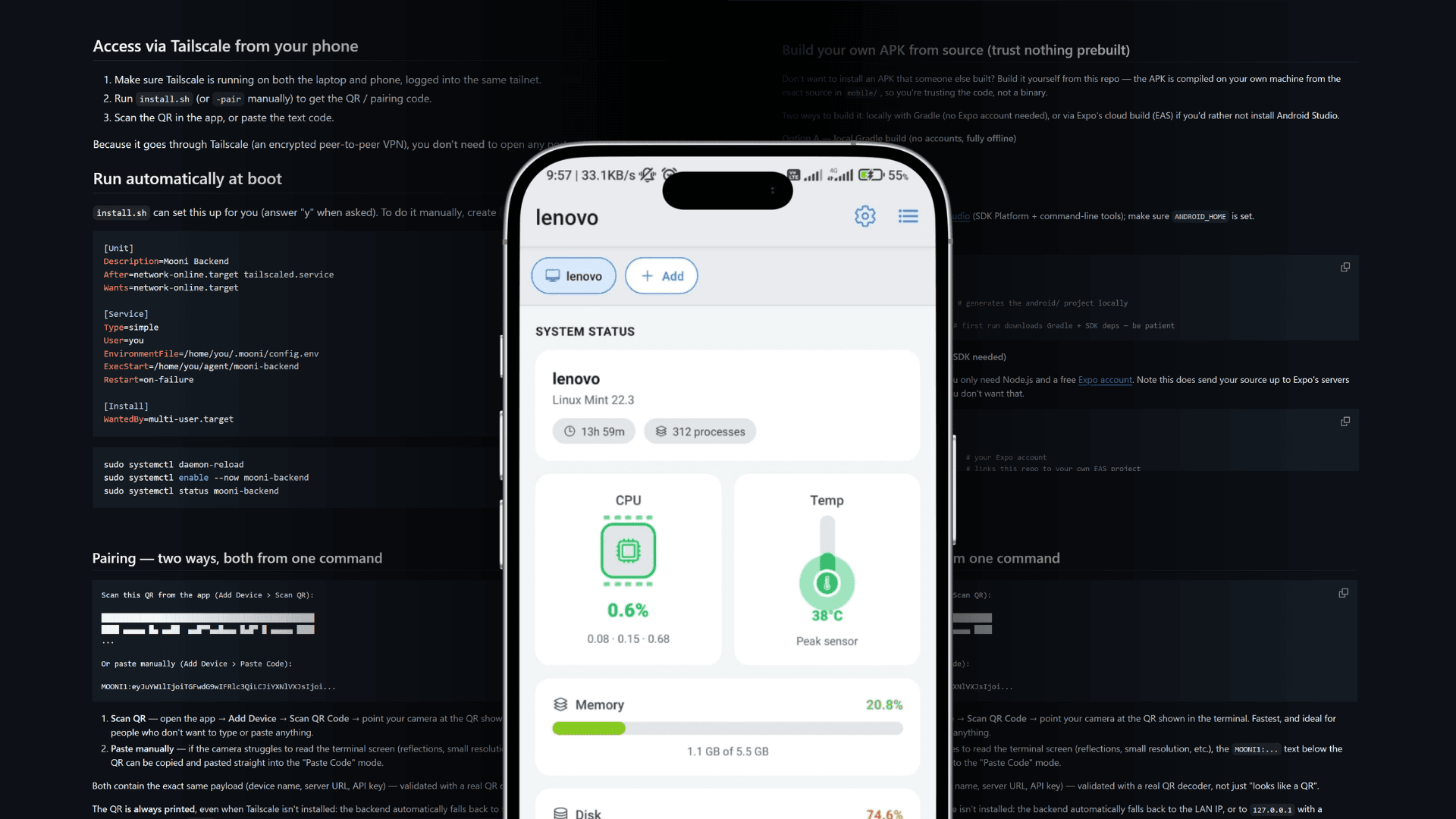
The backend uses Go 1.22 with a small number of dependencies. I separated the API into health, file, and system routes. File paths are checked so the app cannot access files outside the selected folder. Large uploads and media previews are also supported.
I designed the app to avoid unnecessary typing. Scanning a QR code or pasting the pairing code fills in the server details automatically. The dashboard shows live system health and lets me switch between paired machines easily.
- A / Agent
Go Backend Agent
A small Go HTTP agent with a protected file area that prevents unsafe paths and access outside the selected folder.
- B / App
Android Control App
An Expo/React Native Android app with file management, media previews, multi-device support, and native sharing.
- C / Pairing
Zero-Typing Onboarding
An install script that sets up the service, creates a pairing code, and shows a QR code. Scanning or pasting the code fills in the connection details.
- D / Control
System Health + Power
A live dashboard showing CPU, memory, disk, load, uptime, process count, and temperature, with protected reboot and shutdown controls.